Scan, order and follow the service from the same phone.
No app download. The QR code can already know the room, table or service point, and the venue keeps its own menus and branding.
See guest ordering →QR ordering for hotels, room service and restaurants
Guests order from their own phone. Your team receives the room or table, guest names, choices, notes, courses and waiting status together, so the order still makes sense when it reaches service.
Ready to set up your venue now? Start the full software trial. Prefer to talk first?
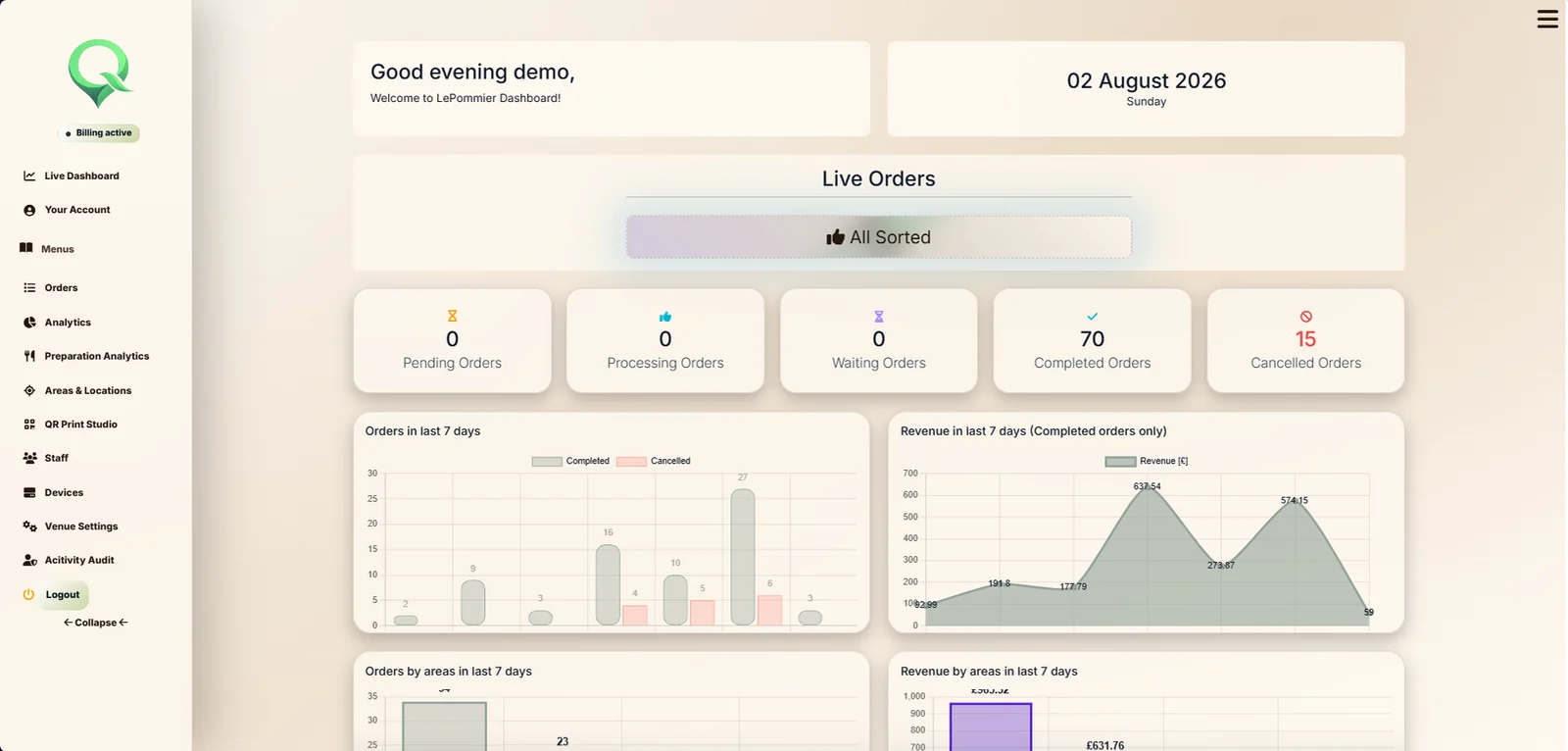
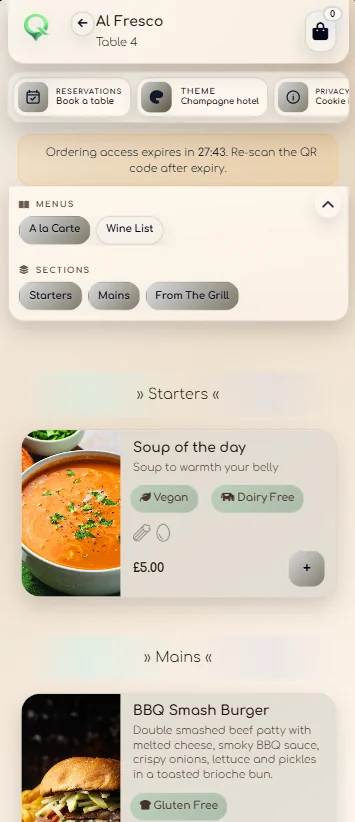
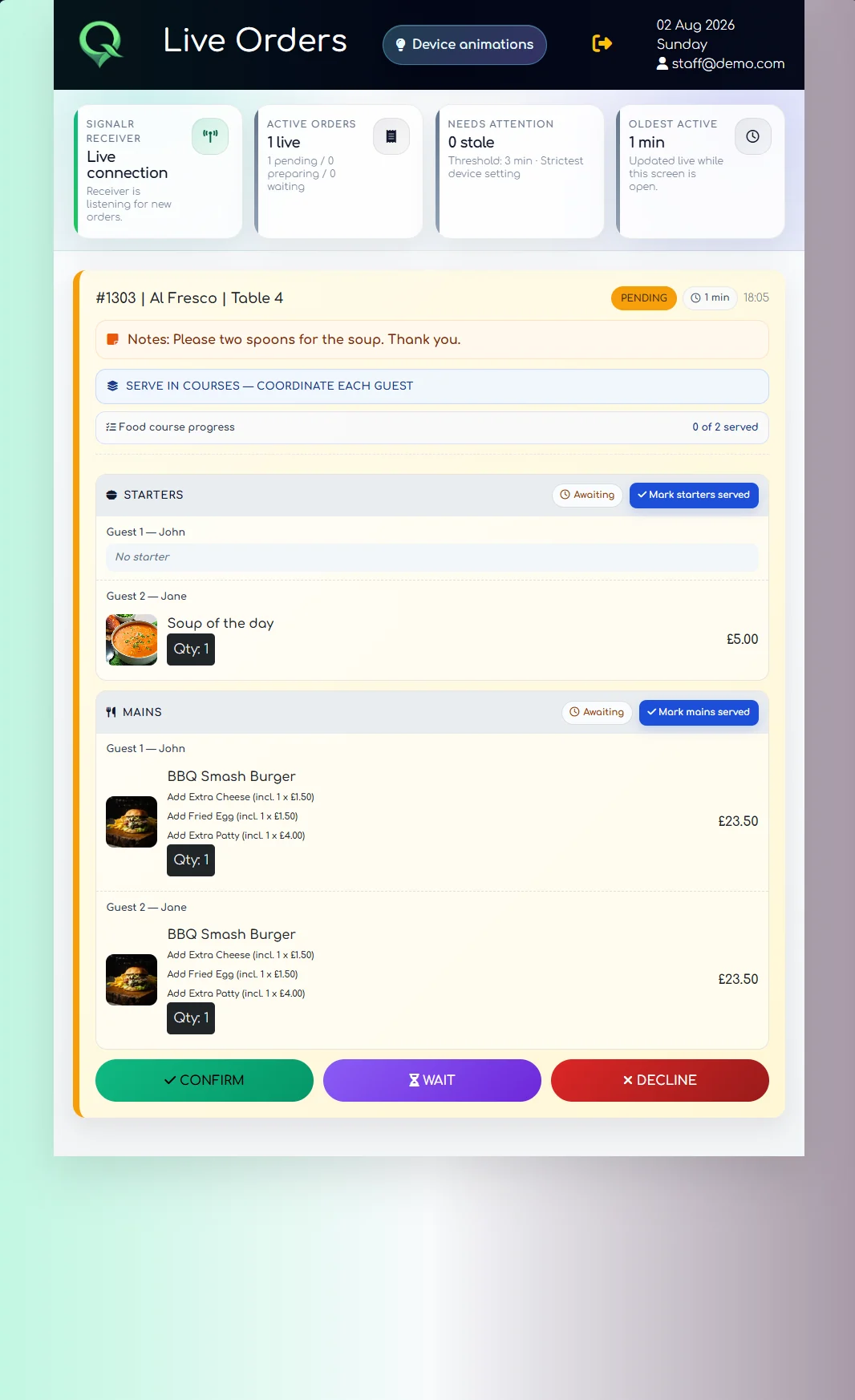
One service record from scan to completion.The guest view, Receiver and venue dashboard are connected to the same order rather than behaving like separate demos.
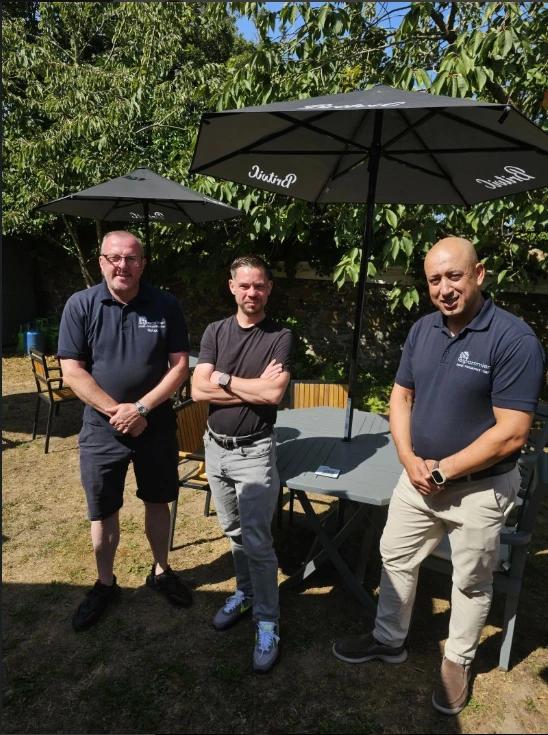
Built with a live hotel, not around a slide deck
QRelia grew from a room-service prototype first built in 2020 and later returned to live service at Le Pommier Hotel in Guernsey. Real orders and direct operational feedback have shaped how locations, menus, waiting, courses, reporting and the Receiver work.
“Lukas was the ONLY person I would trust to build a bespoke app for my individual hotel needs.”
Why QRelia exists
Room 18. Terrace table 6. Two guests. Starters first. One modifier. A note for the kitchen. A realistic wait. Those details need to arrive together and stay together until the order is finished.
QRelia was built for that operational middle: the point between a guest choosing what they want and the team actually serving it.
No app download. The QR code can already know the room, table or service point, and the venue keeps its own menus and branding.
See guest ordering →The Receiver keeps location, guests, choices, notes, course progress and waiting information visible while the order moves through service.
See the Receiver →Orders, preparation activity, area demand, reporting and QR production sit in the same venue platform.
See venue intelligence →The service journey
The useful answer is not “a digital menu opens”. It is what happens to the order after that.
The guest
A room, table, terrace, garden or poolside QR can open QRelia with that location already known. Guests choose items, modifiers and service preferences in the venue's mobile menu.
Hotel QR ordering →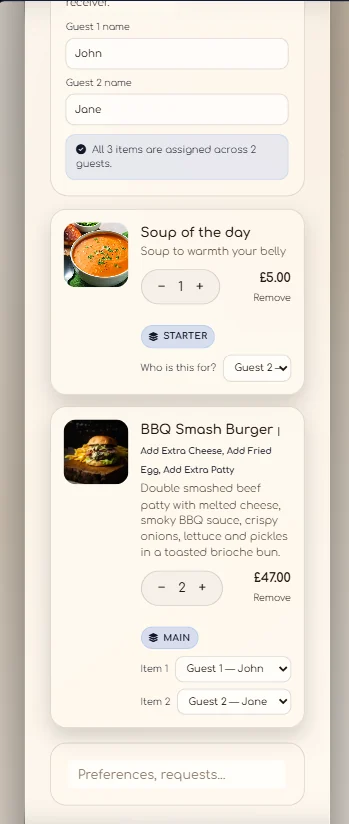
The team
Staff can see the location, guest names, items, notes, modifiers, courses and waiting status without reconstructing the order from separate systems.
Hospitality order management →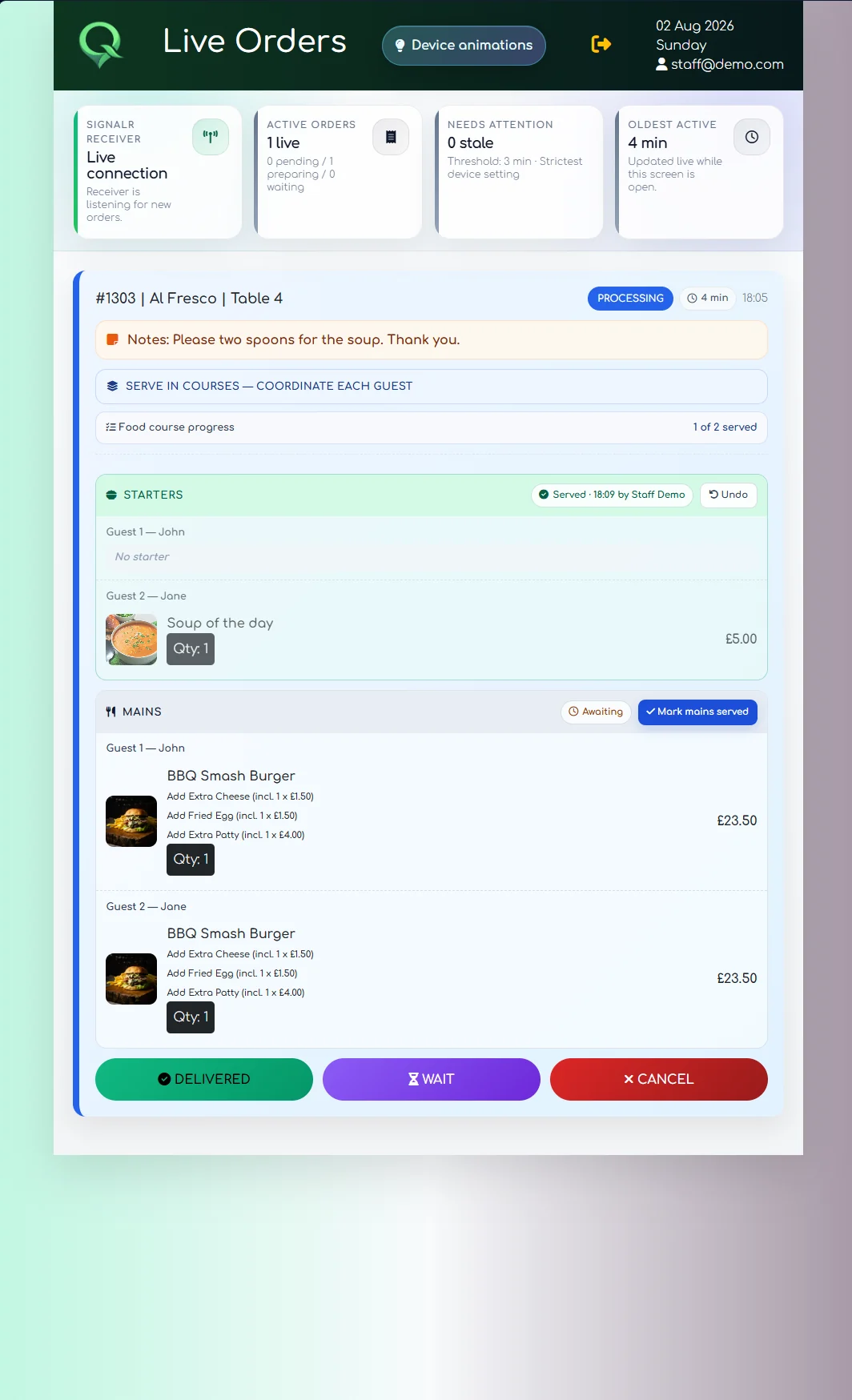
The venue
Management can review live orders, order history, preparation activity, area demand, analytics and printable reports from the venue side.
See the full platform →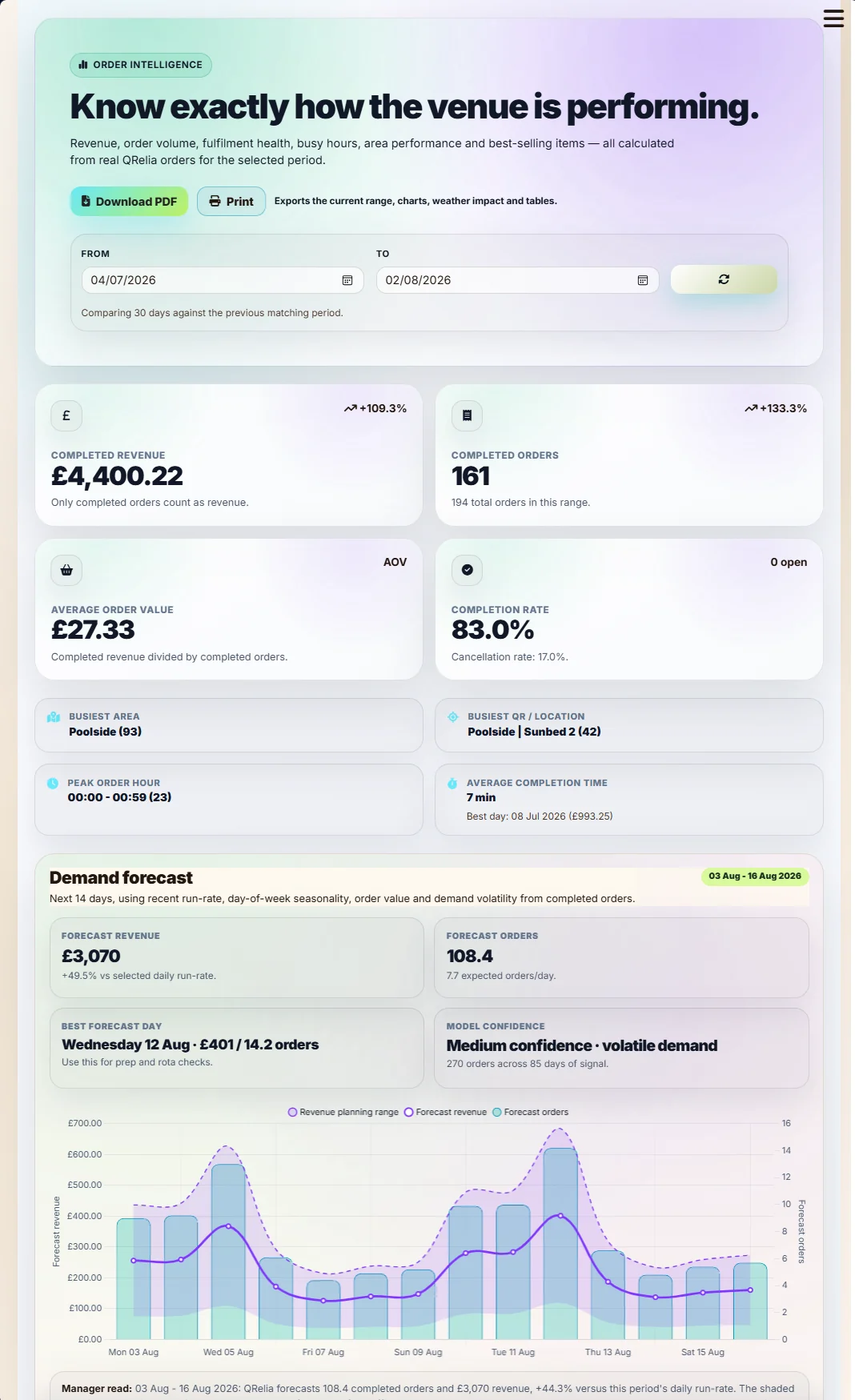
Where it fits
That can be a hotel room, restaurant table, terrace, garden or another service point. It does not require replacing every system around it.
Optional connected hardware
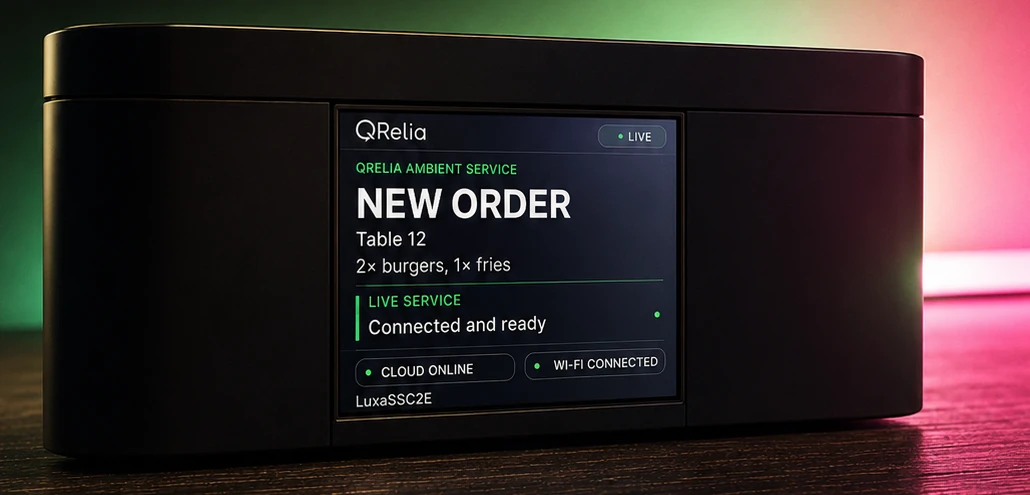
If a venue wants an at-a-glance physical cue, the QRelia Ambient Device can show order states through light and a full-colour LCD. Basic runs the complete software without it.
Straightforward pricing
Every plan starts with a 14-day trial. Basic contains the complete software platform. Premium adds connected device access.
Complete guest ordering, Receiver, venue administration, analytics and QR production.
Everything in Basic, plus access to connected QRelia Ambient Devices.
Start with your own venue
Create the venue account, add rooms or tables, build a menu and run test orders through the Receiver. You can speak to us first if you would rather talk the workflow through.
Create the first account and confirm the work email used to manage it.
Add your venue structure, menu and QR locations, then place test orders through the real guest journey.
Run the full software during the trial, then choose a plan or talk to QRelia about the setup you need.
More detail when you need it