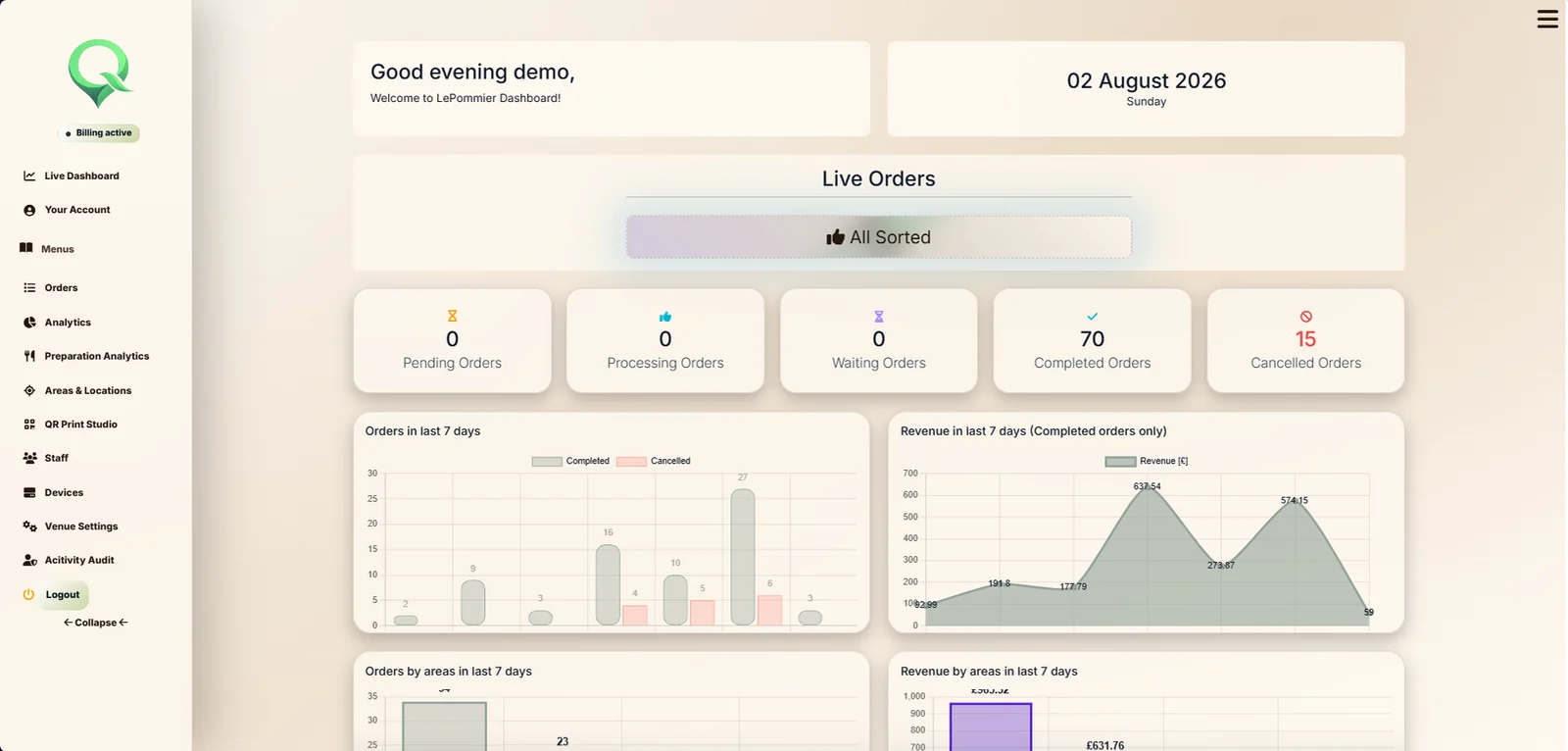
Live dashboard
Current order state and venue performance in one view.
Product showroom
Every image comes from the current platform and is shown at a useful scale so the detail can be inspected.
Venue intelligence
Current order state and venue performance in one view.
Selected date reporting, comparisons and demand forecasting.
Venue performance placed beside local conditions.
Relevant categories, items, quantities and service timings.
Historic order search and operational detail.
The physical structure behind location aware QR entry.
Images, prices, preparation and live availability.
Required, optional, minimum and maximum selections.
Administrative actions available for review.
Assigned identity, connection state and venue control.
Profiles and light behaviour for service states.
Guest ordering
A mobile first menu with sections and item cards.
Structured options with prices and selection rules.
Quantities assigned to the correct person.
Everything together or served by course.
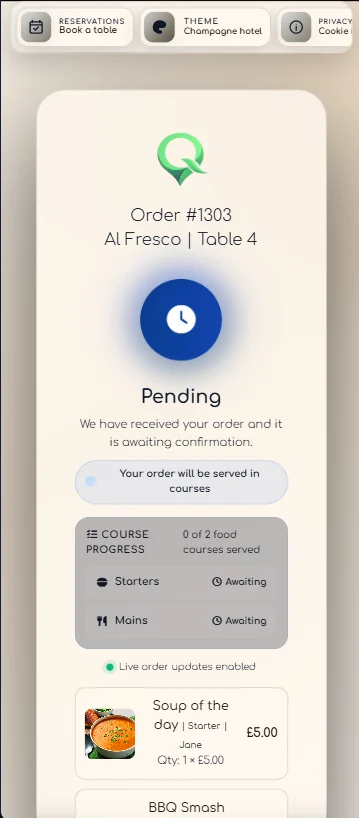
The guest follows the order from the same phone.
An approximate waiting time chosen by the team.
Served and remaining courses stay visible.
A clear close to the order journey.
Readable venue themes with saved preference.
Receiver
Location, guests, items and course groups together.
Quick presets and a custom approximate wait.
The order remains visible while the guest has an estimate.
Progress one course without completing the whole order.
Control the physical response where hardware is assigned.
QR Print Studio
Create the print set from the same venue areas and locations used by QRelia.
A finished location card exported from QRelia.
Export several locations together for venue preparation.
Ambient Device setup

See it with your own venue