Platform

Venue intelligence

Hospitality analytics and venue management built from the live service record.

The venue account brings live orders, menus, reporting, QR production, staff access, subscriptions and connected devices into one working place.
Venue intelligence
QRelia venue analytics
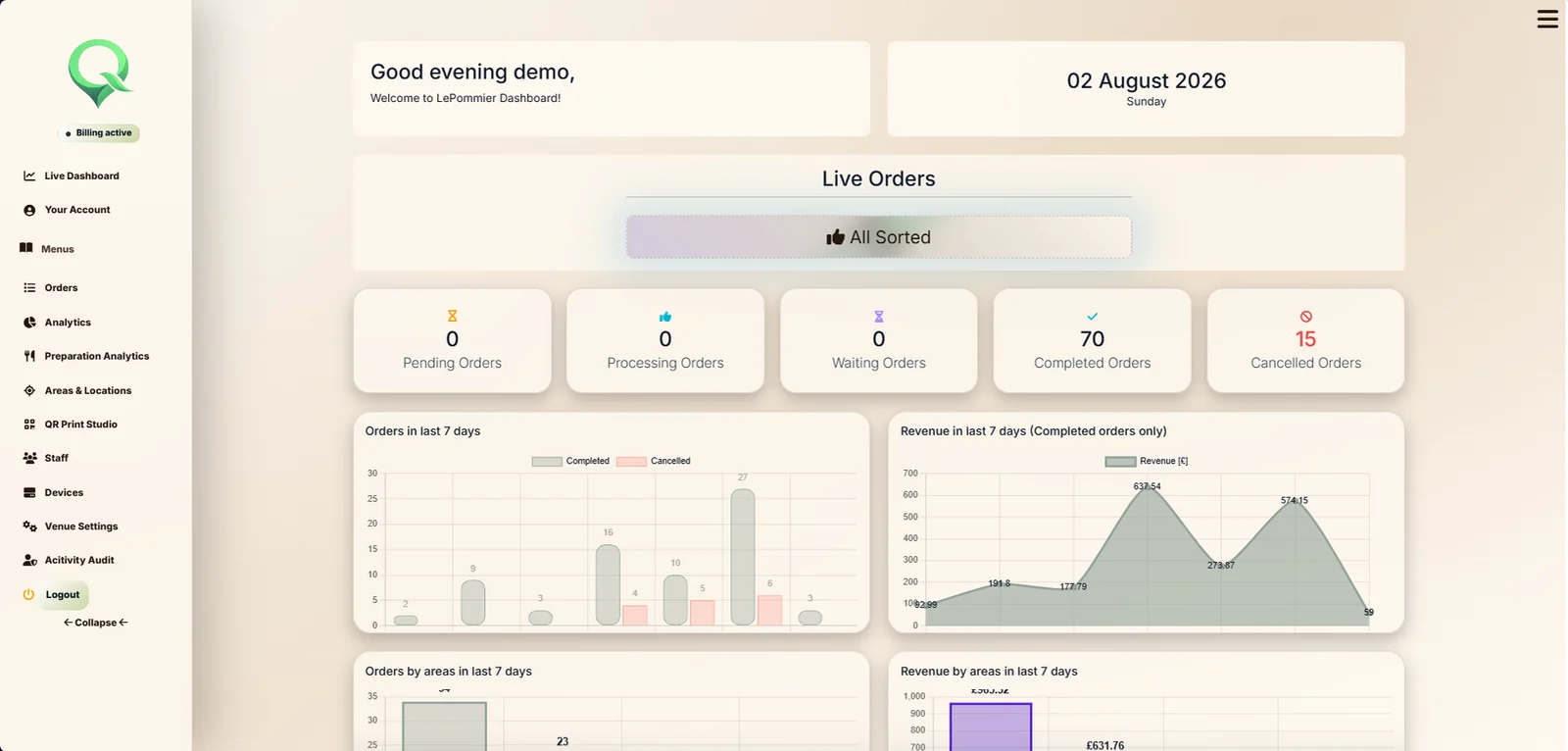
QRelia live dashboard

Today at a glance

Start with the shape of the service before opening the detail.

Current order states, volume, completed value and recent activity sit together so management can understand how the venue is moving.

Live order stateRecent activityAreas and locationsHistoric order detail

Beyond the final total

Performance becomes useful when it still carries the context of service.

Orders and demand
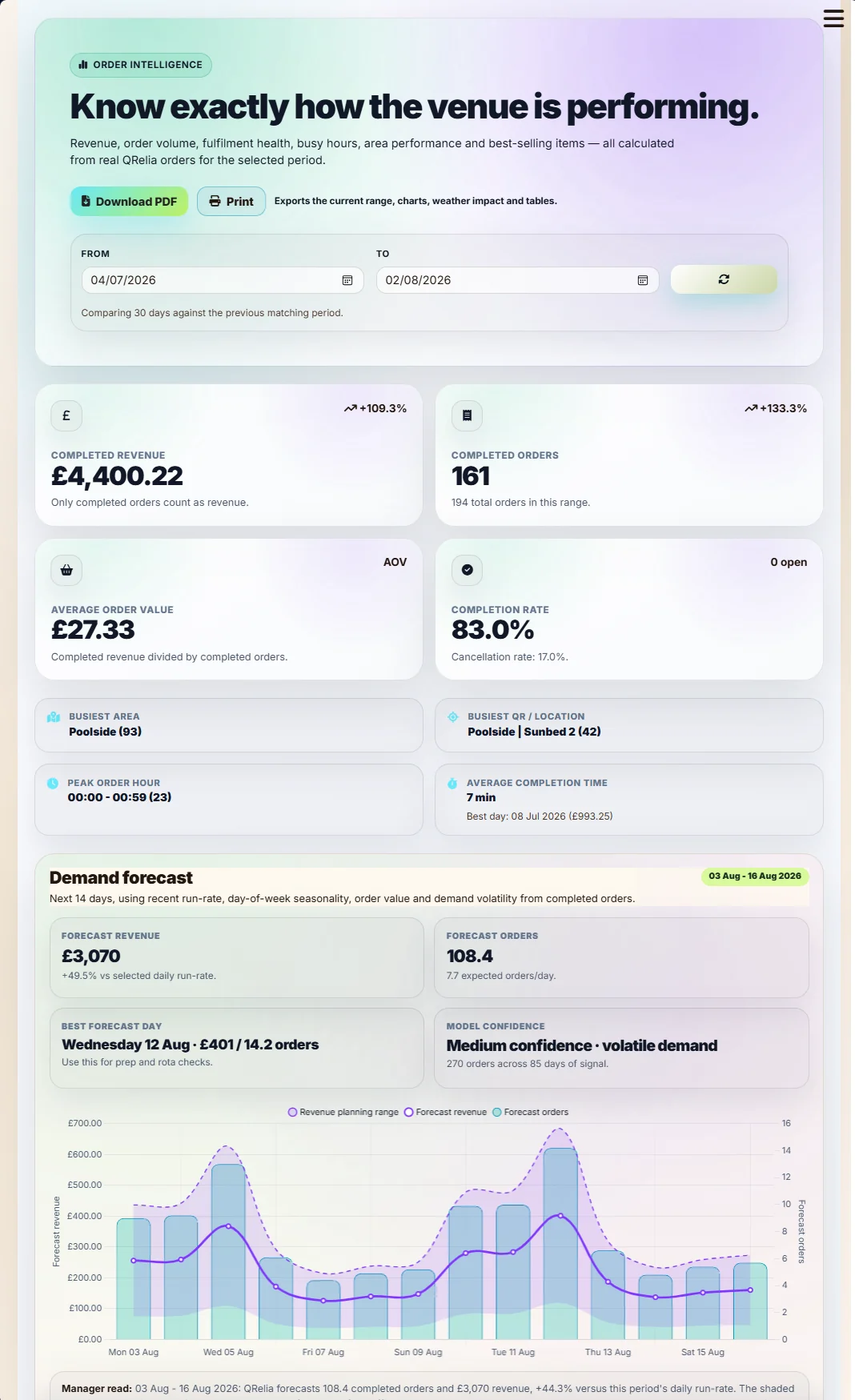
QRelia order reporting
Order volumeCompleted valueAverage orderCompletionDemand forecast
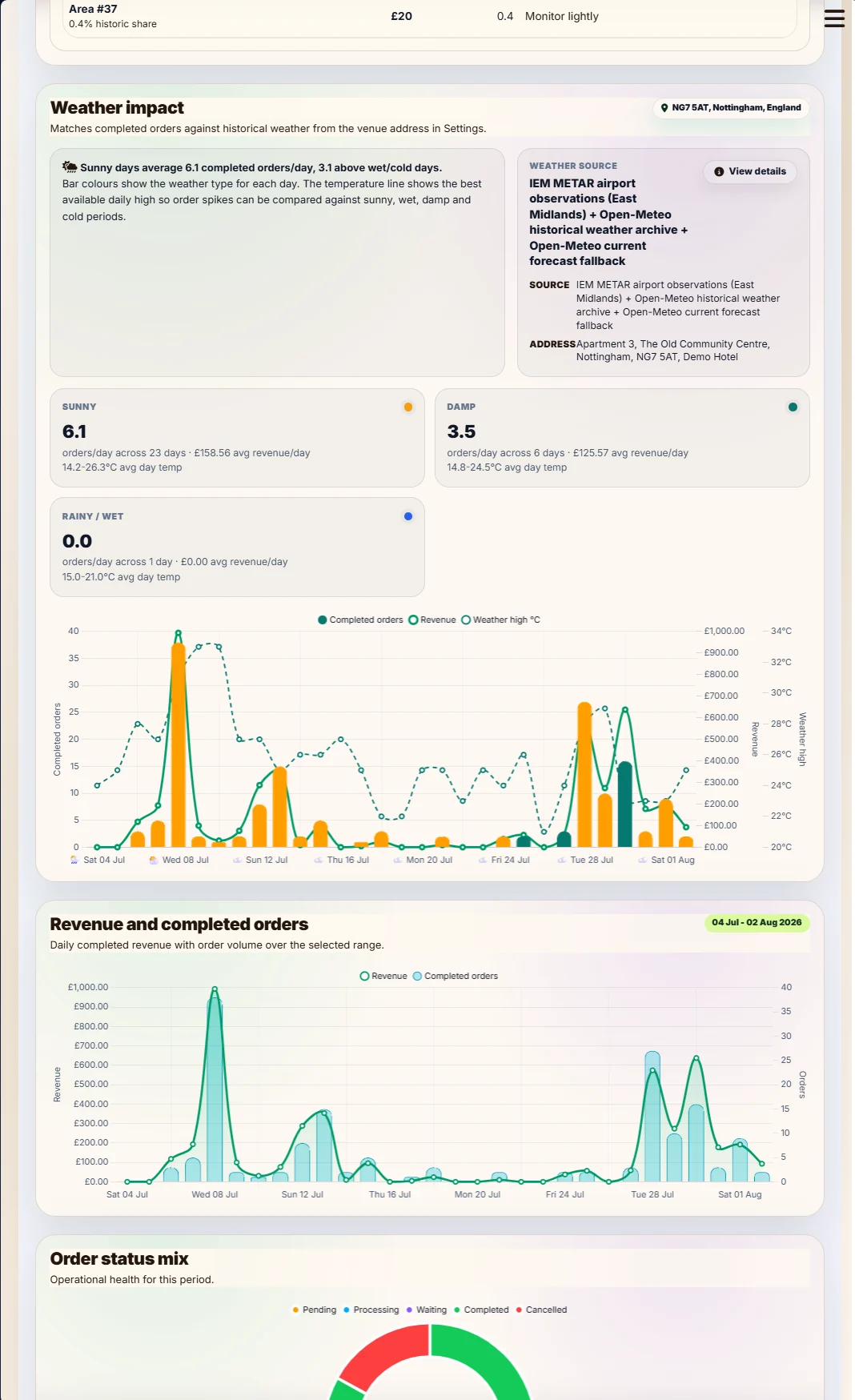
QRelia weather impact report

Weather context

Place local conditions beside the trading day.

Use the property address and selected date range to see weather alongside venue performance.
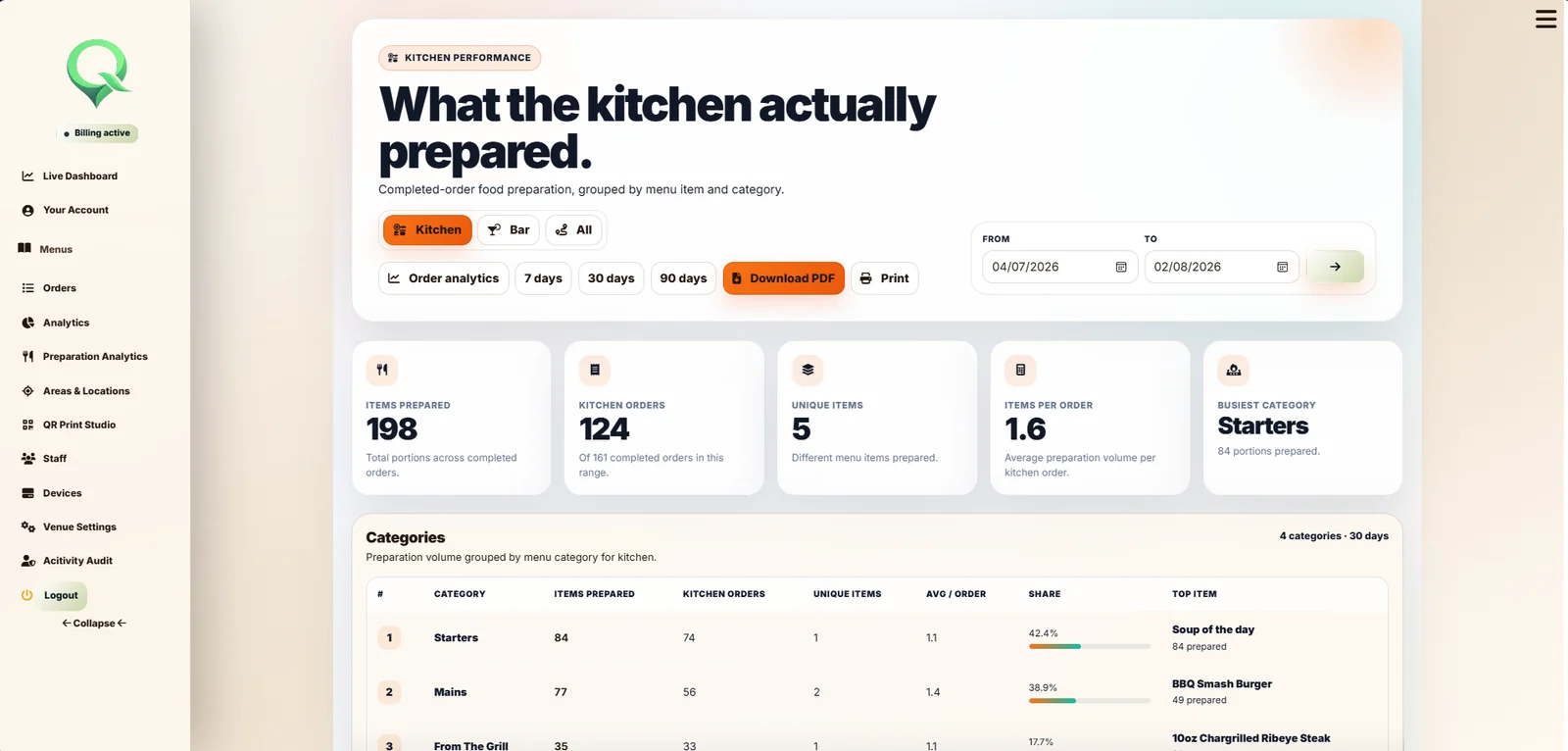
QRelia preparation station analytics

Preparation work

Move from the whole venue to what a station actually prepared.

Review relevant categories, items, quantities and timings for kitchen or bar work.
Build the service

The menu is only one part of preparing the venue.

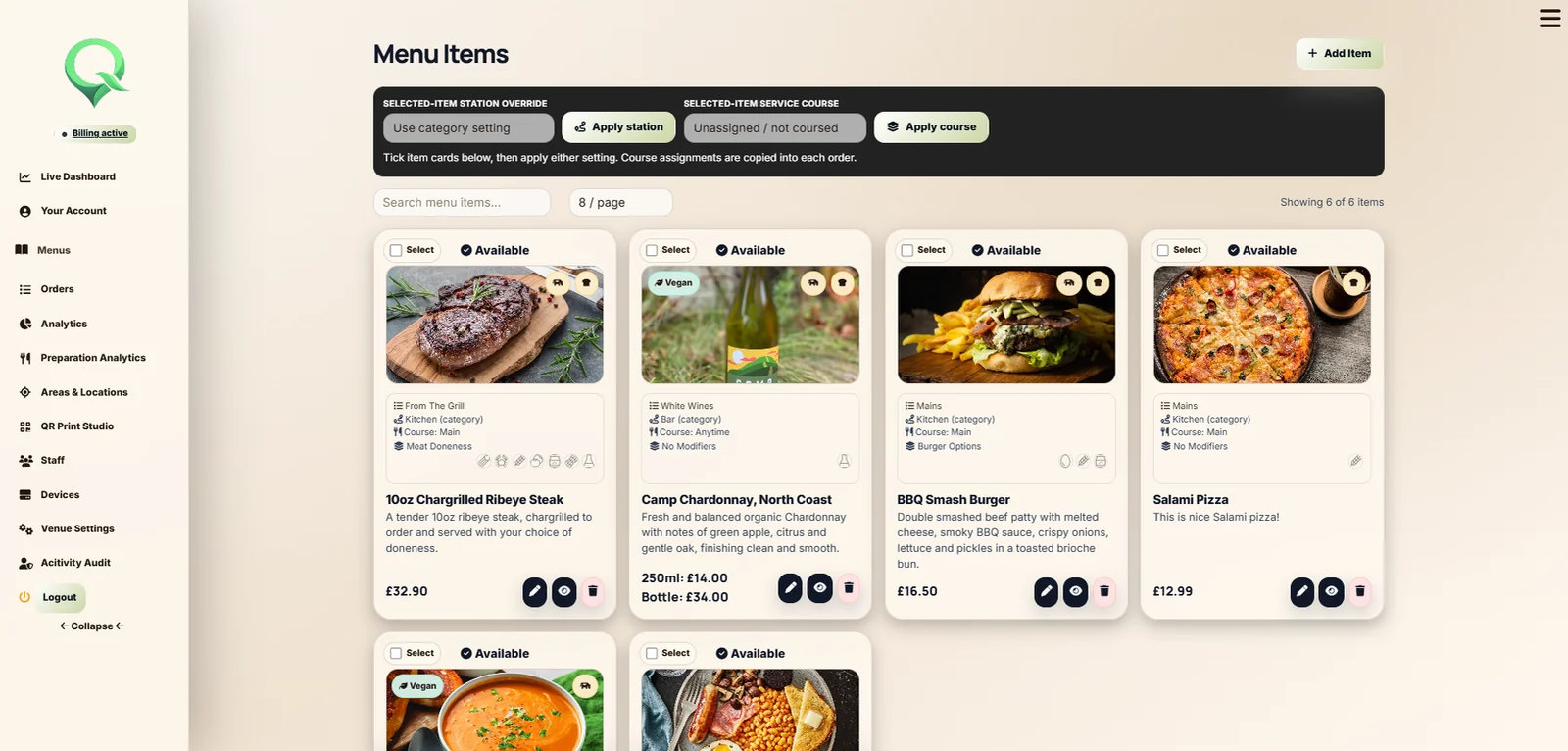
QRelia connects what the guest sees with how the venue serves it. Items can carry photographs, choices, preparation stations, course information, area visibility and serving times.

  • Several menus and categories
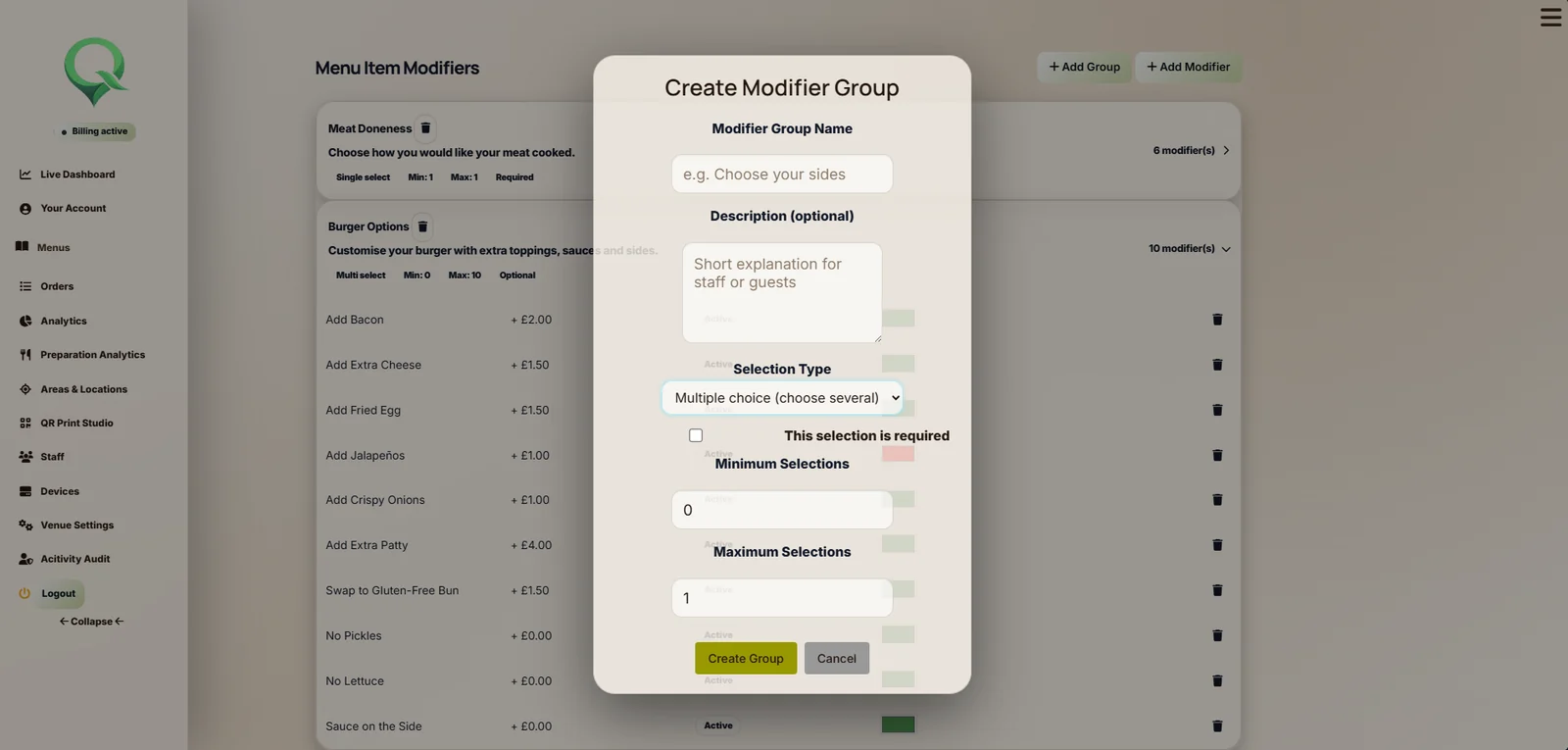
  • Required and optional modifier groups
  • Minimum and maximum selection rules
  • Kitchen and bar preparation classification
  • Visibility by area and time
Menu items
QRelia menu items
QRelia modifier group
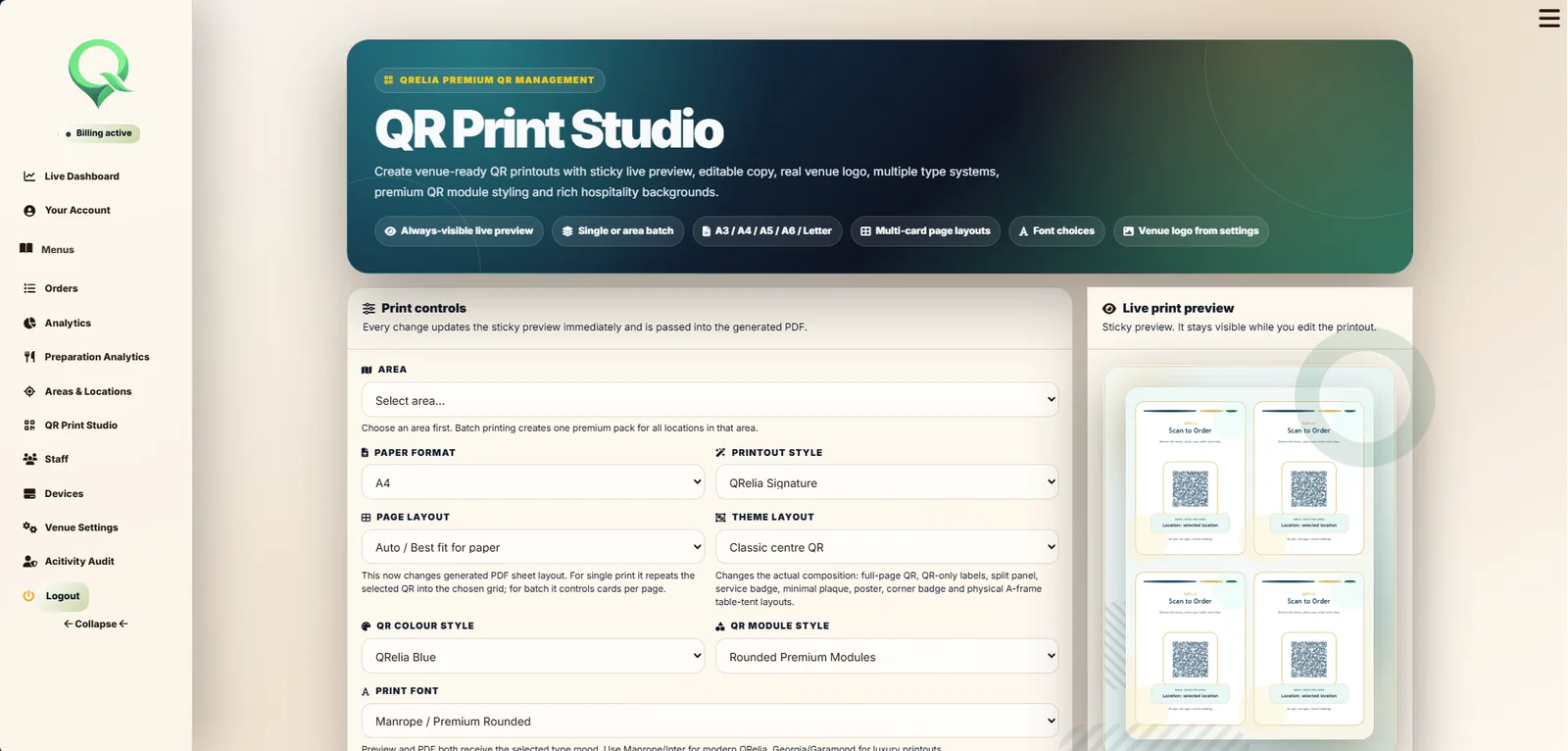
QR Print Studio
QRelia QR Print Studio
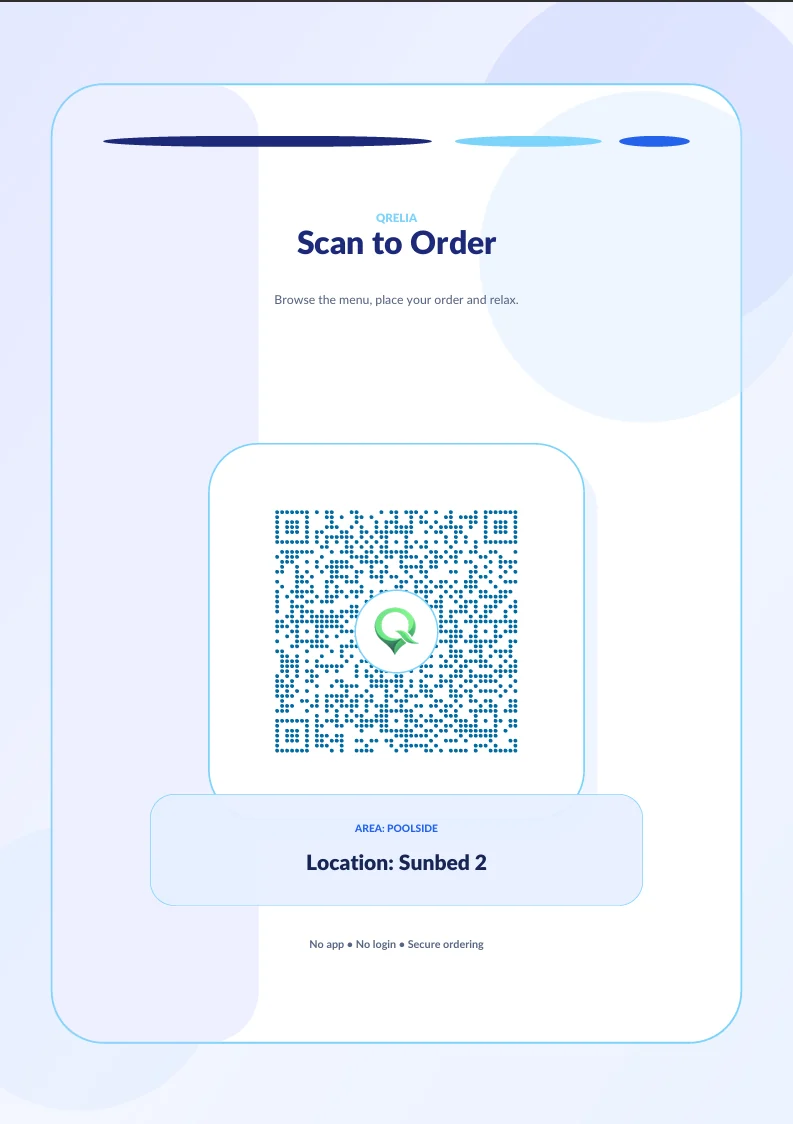
A QR print example

The guest entry point

Create the QR material from the same areas and locations used by the service.

Preview the design, include the venue identity and export individual or batch PDFs for the property.

See the print studio

Responsible control

The people, billing and devices around the service remain visible.

01

Staff access

Use individual profiles and roles rather than sharing one venue login.

02

Security activity

Two factor authentication and activity records support responsible account use.

03

Subscription state

Review the plan, billing period, payment methods and cancellation state.

04

Device management

Pair hardware, see online status and configure the light response for each service state.

Prepare the venue in one place

Start with the service you run today.