Unique QR per table
Each table can open with its own location already known to the system.
Table ordering system
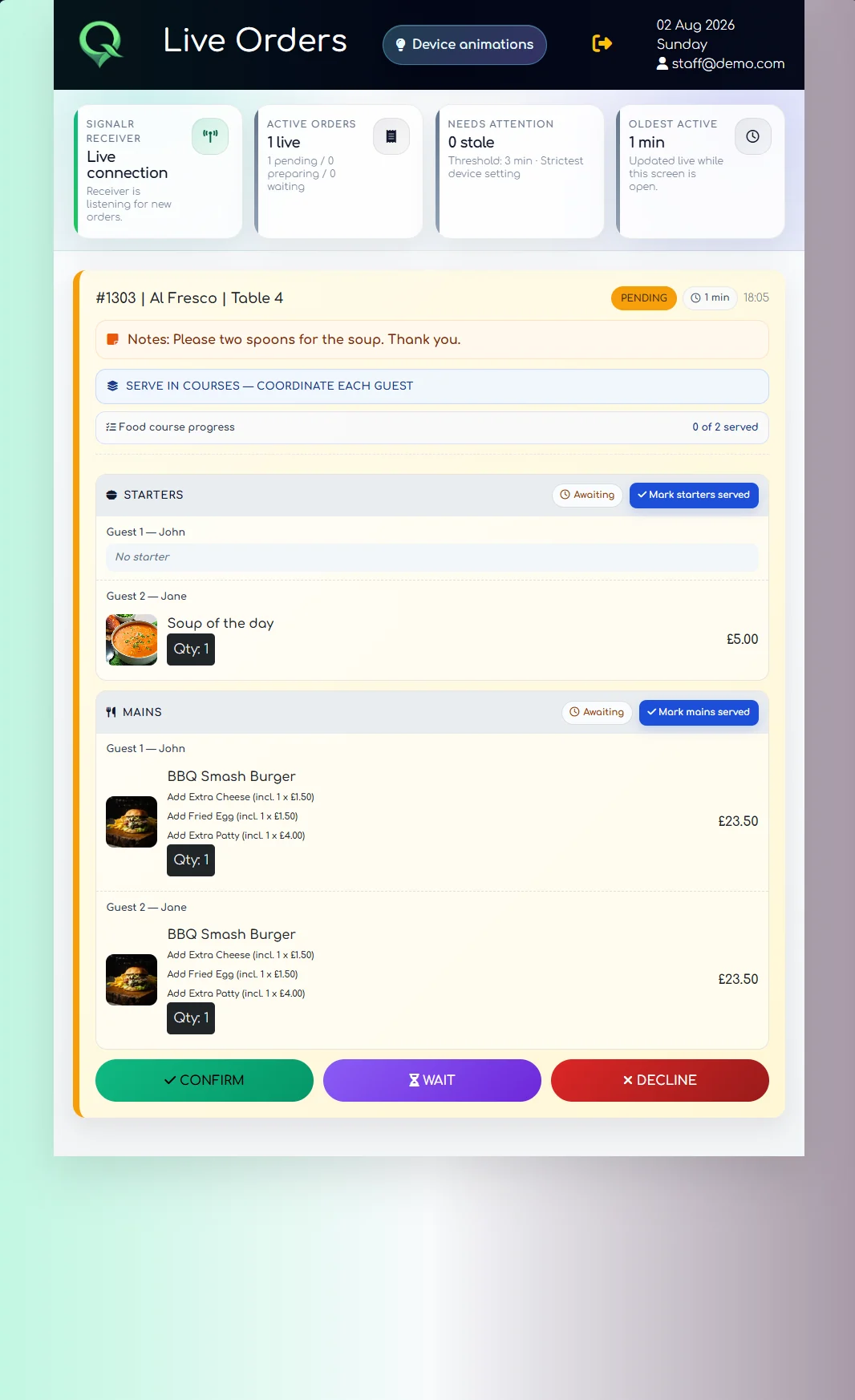
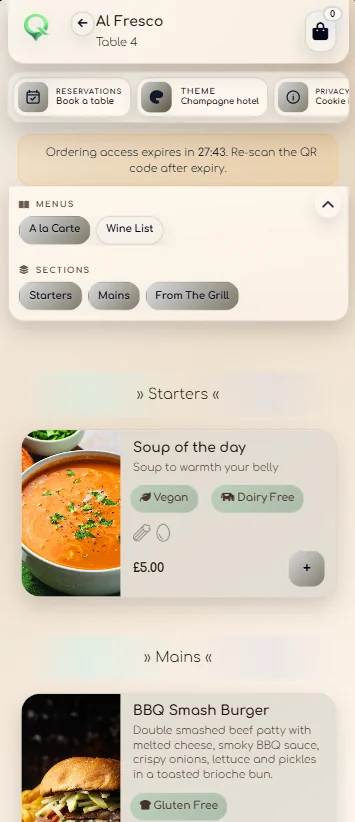
Put a location-specific QR code on each table. Guests browse and order in their browser, while QRelia sends the table number, choices, notes, guest assignment and course preferences into the live Receiver.
Order at the table
QRelia handles the digital handoff, then gives the floor team the information needed to serve the table properly.
Each table can open with its own location already known to the system.
Guests browse categories, images, modifiers and availability from their own phone.
Table, items, modifiers, notes, guests and course choices arrive together.
Staff can confirm, communicate waiting time, process courses and complete the order.
Built for served hospitality
QRelia is particularly useful where guests should be able to order without waiting to catch someone's attention, but the venue still wants human service, course control and operational visibility.
Restaurant and hotel tables
Support menu ordering from dining tables while preserving notes, modifiers and service flow.
Restaurant QR ordering ↗Use table QR codes in restaurants, lounges, bars, terraces or poolside areas.
Hotel QR ordering ↗Keep menu availability and ordering rules under venue control.
Digital menu ordering ↗Review the service record after orders have been completed.
Hospitality analytics ↗Table ordering questions
A guest scans the QR code assigned to the table, browses the menu and submits an order from their phone. QRelia sends the table context with the order to staff.
Yes. The public guest journey is designed to run in the browser without requiring an app download.
Yes. QRelia supports course preferences and live course progression in the Receiver.
No. Hotels can use the same table-aware workflow in restaurants, lounges, terraces and other service areas.

Test one table