Scan the location QR code
Each printed QR can represent a room, table, terrace or another configured service location.
QR code ordering system
Guests scan a QR code, open the venue's branded digital menu in their browser and place an order without downloading an app. QRelia carries the location, choices, notes, guest assignment and service preferences into the live staff workflow.
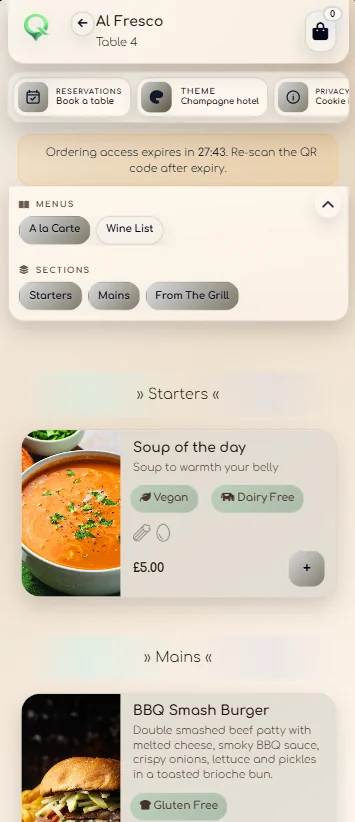
How QR ordering works
QRelia is designed for hospitality environments where the order needs to reach staff with enough context to act on it immediately.
Each printed QR can represent a room, table, terrace or another configured service location.
Guests see the venue branding, categories, item images, modifiers, availability and ordering rules.
Guest names, item choices, notes and course preferences remain attached to the order.
Staff receive the order in the QRelia Receiver and progress it through the venue's workflow.
More than a QR menu
A standalone QR menu only solves discovery. QRelia connects the guest interaction to the operational layer: service location, waiting estimate, staff status, order history, reporting and QR production.
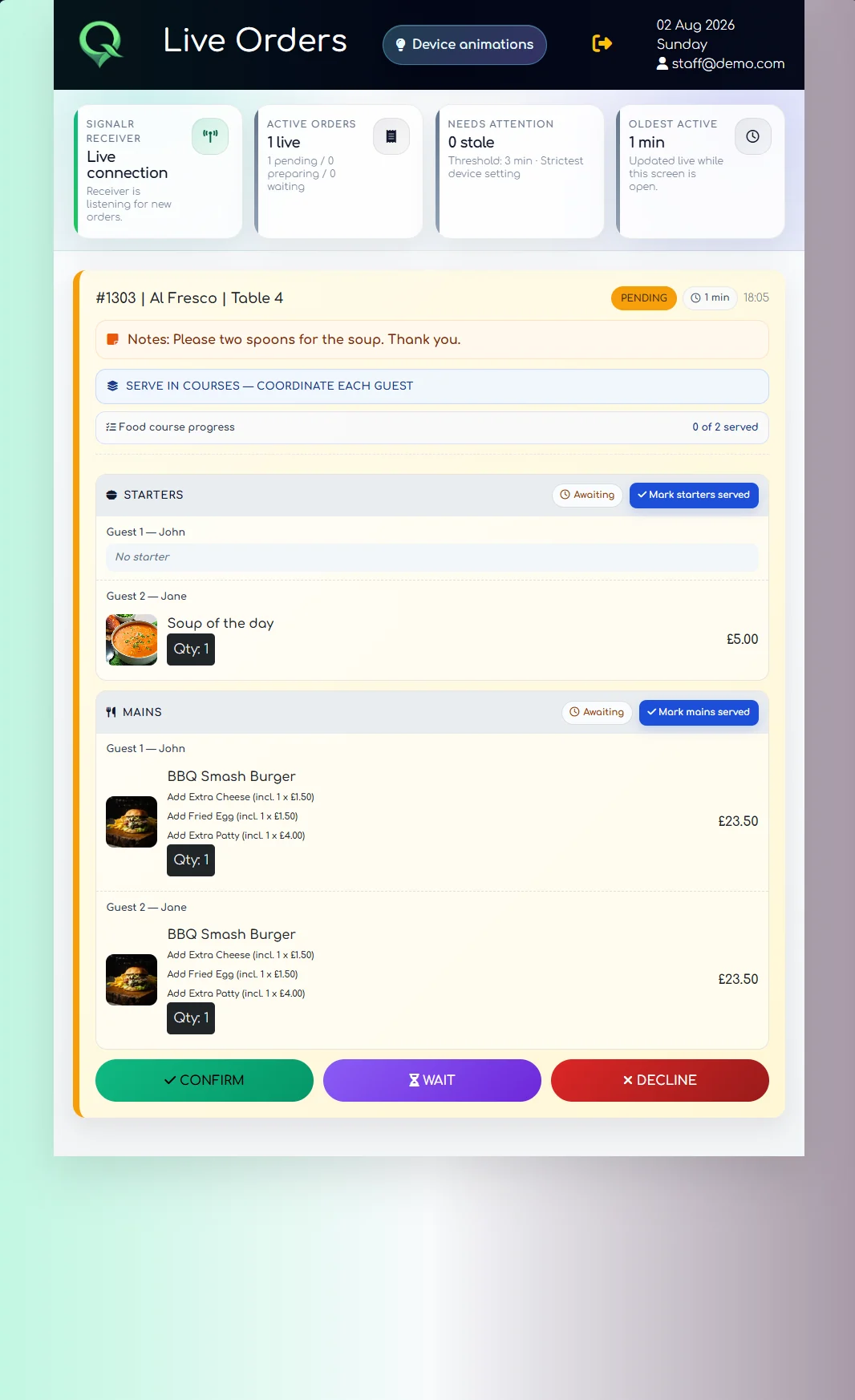
Where it fits
Place room-specific QR codes in bedrooms and keep the room reference with every order.
Hotel room service software ↗Let guests order from the correct table while the team retains control of fulfilment.
Restaurant QR ordering ↗Create separate service locations without requiring a different guest-facing system.
Hotel QR ordering ↗Generate single or batch QR material from the same configured location structure.
Venue management ↗QR code ordering questions
It lets a guest scan a QR code with a phone, open a digital menu and submit an order. QRelia also keeps the room or table context and connects the order to a live staff workflow.
No. QRelia guest ordering runs in a normal mobile browser.
Yes. QRelia can generate QR material against configured rooms, tables and service areas.
No. QRelia can be used for ordering and service coordination while the venue keeps its existing guest payment process.

Try scan-to-order