01Pending
See what has arrived and where it belongs.
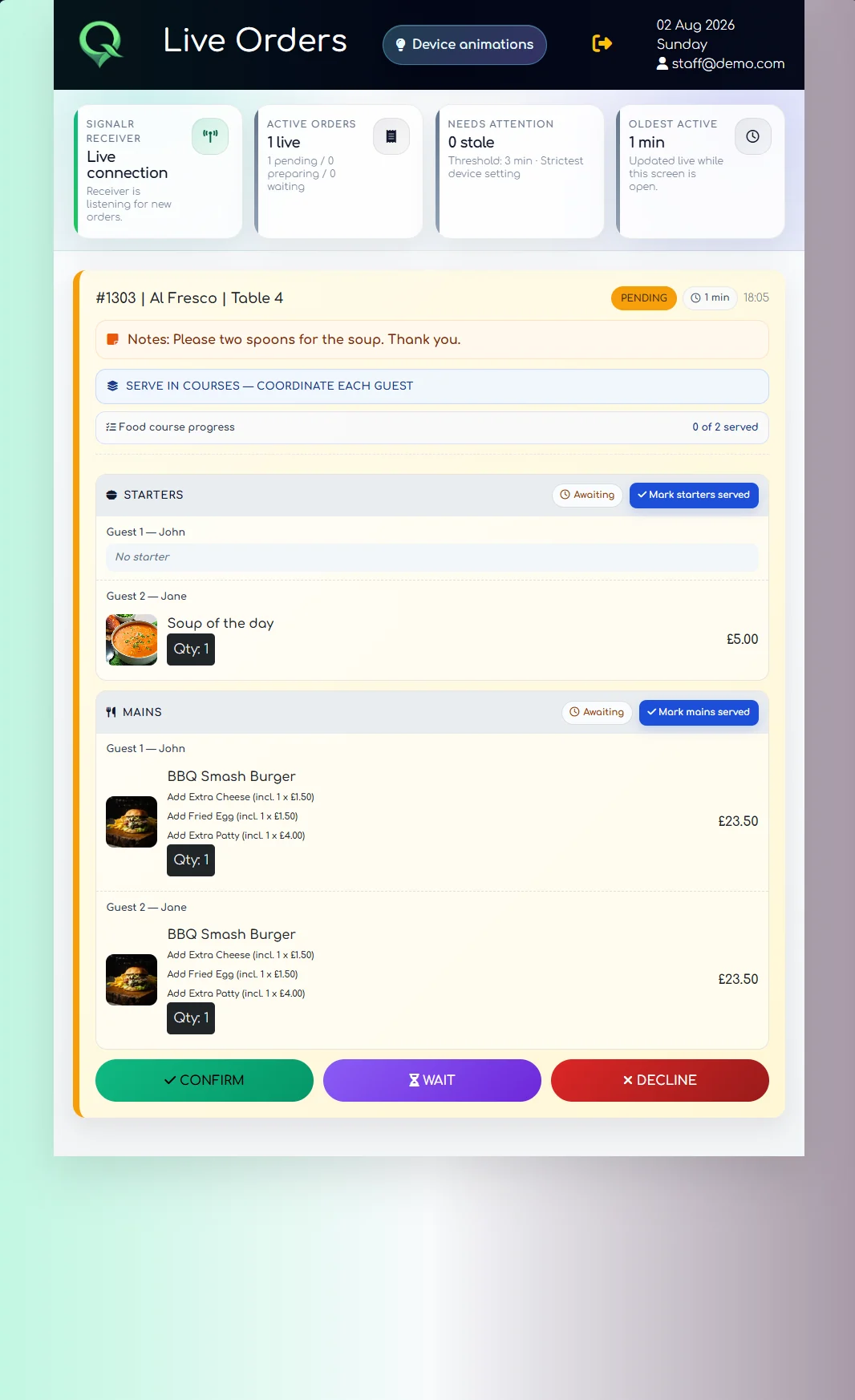
Room or table, guest names, quantities, modifiers and notes are visible before the team confirms or declines the order.
QRelia Receiver
Every order arrives with its location, guest details, choices, notes and course structure. The team can act quickly without searching through separate screens.
During service
Room or table, guest names, quantities, modifiers and notes are visible before the team confirms or declines the order.
Once work begins, the order moves out of unattended pending status and remains active without being treated as stale.
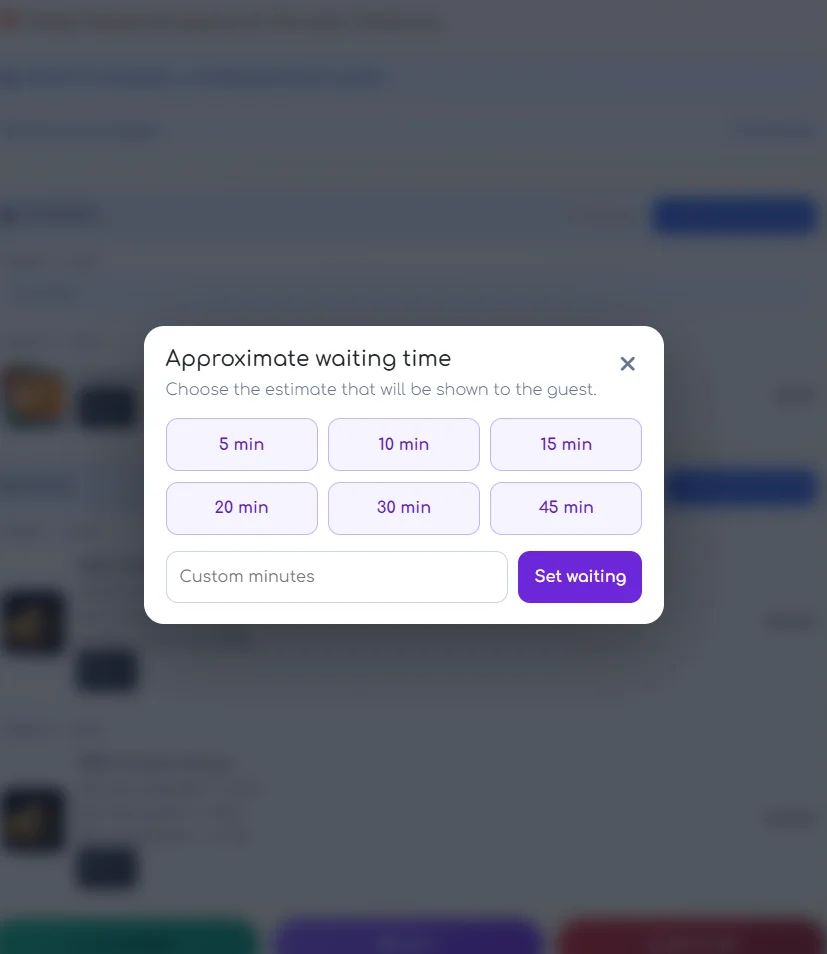
Choose a quick preset or enter an approximate waiting time. The guest sees the update without needing to chase the floor team.
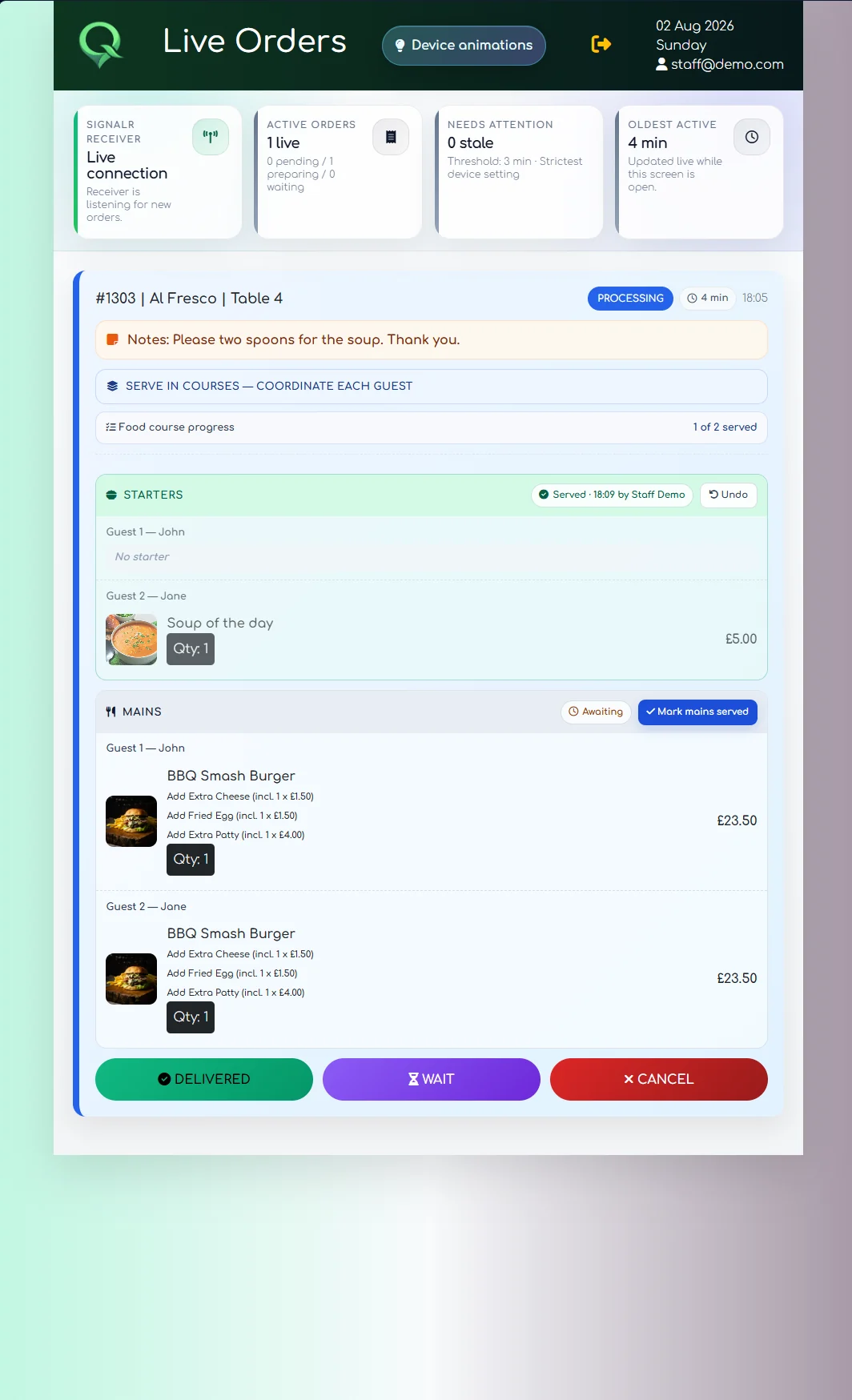
Mark a course as served while later courses remain visible and awaiting service.
Clear communication
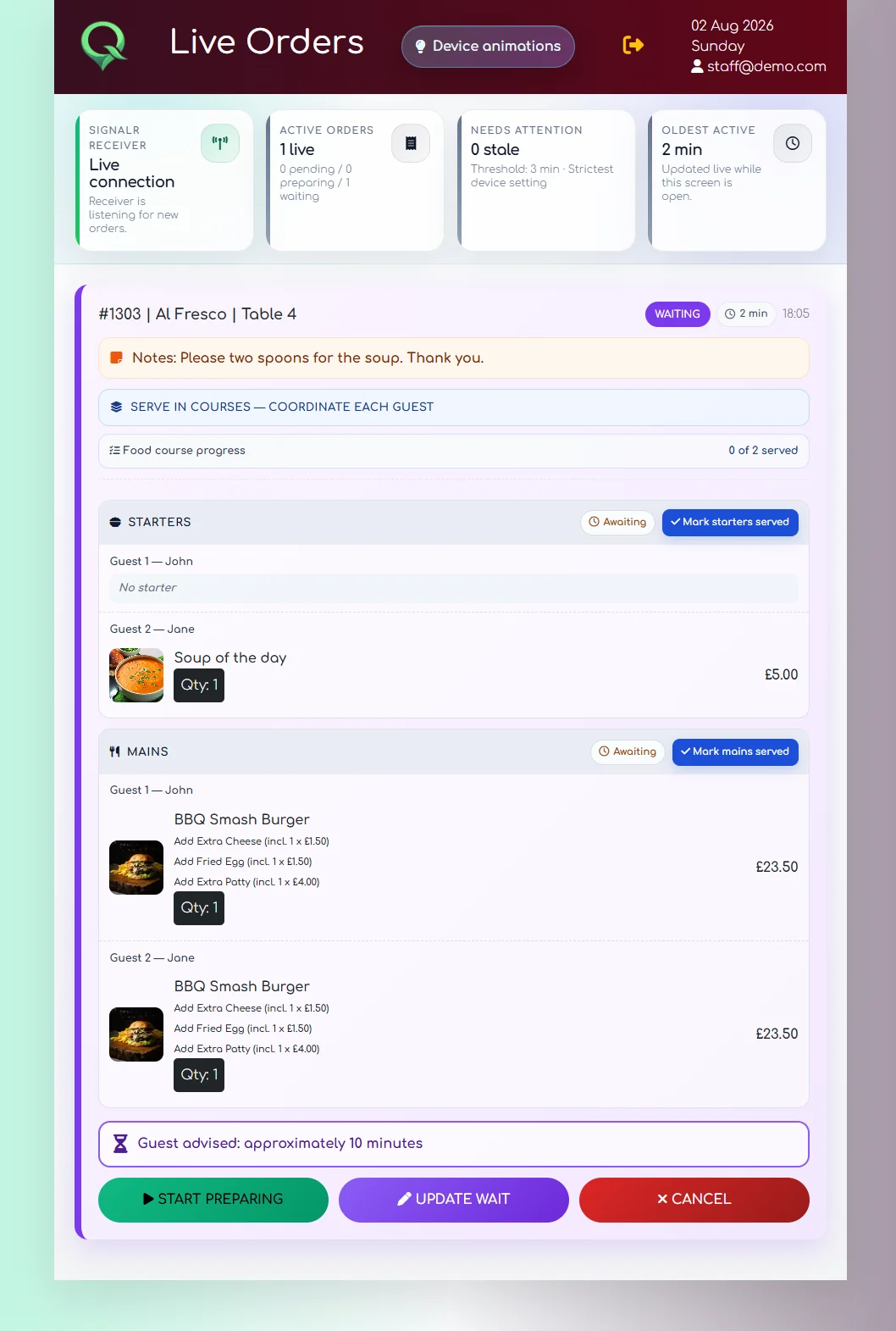
The team can give a sensible estimate while keeping the order visible. The guest receives the same information in the status view.
The useful part is simple: the team gives an honest estimate and the guest sees it immediately.
Course service
The Receiver groups items by course and shows what is awaiting service. Staff can mark progress at the right moment rather than forcing the entire order into a single completed state.
Optional ambient signals
Where hardware is assigned, the team can select devices and trigger the visual response that belongs to the order state.
Explore connected devices ↗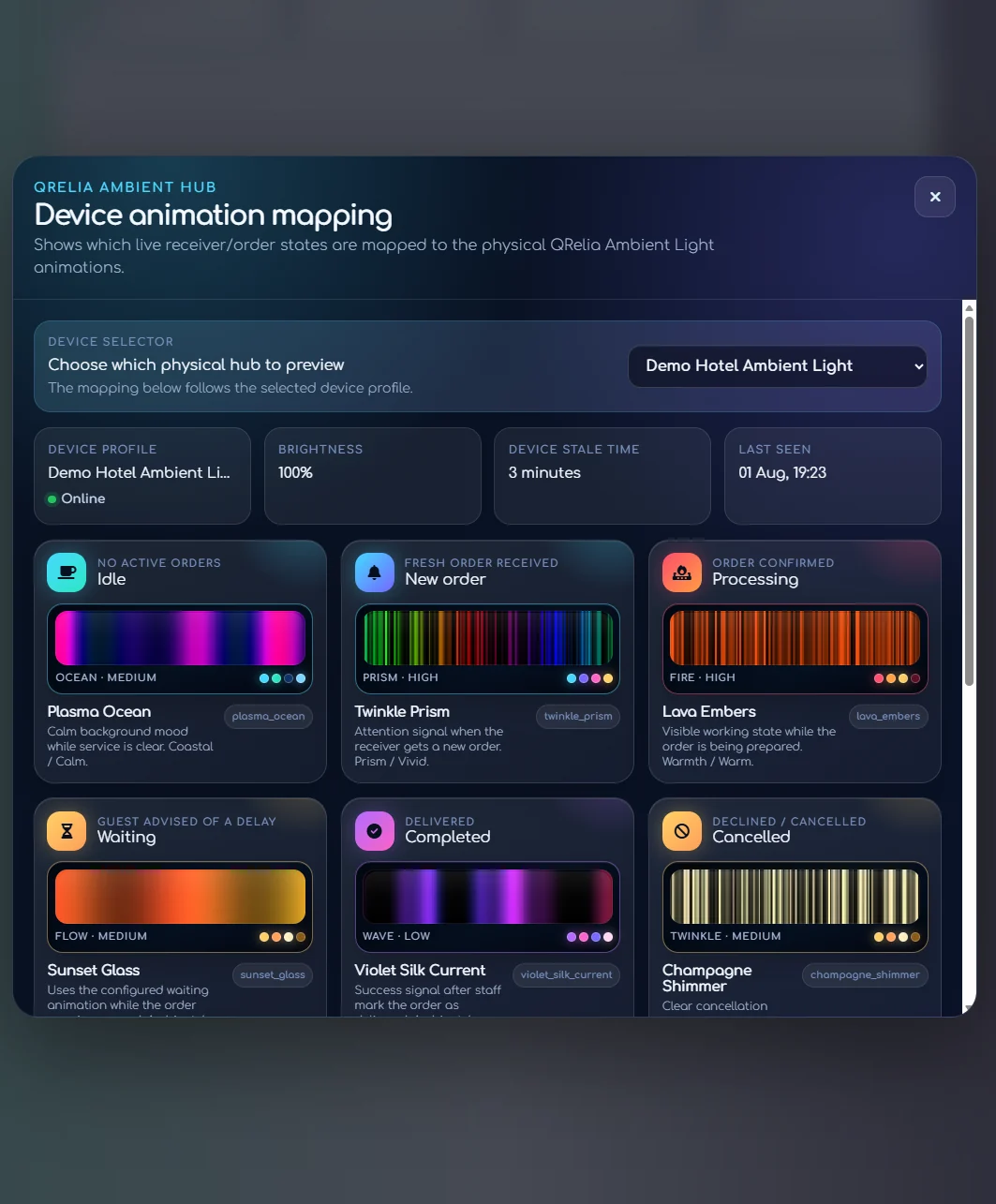

Put it in front of the team