Menus and categories
Organise the guest experience around the venue's real menu structure.
Digital menu and QR menu ordering
Build branded mobile menus with categories, item photography, modifiers, price adjustments and availability. Guests open the correct menu from a QR code and the order moves directly into QRelia's live staff workflow.
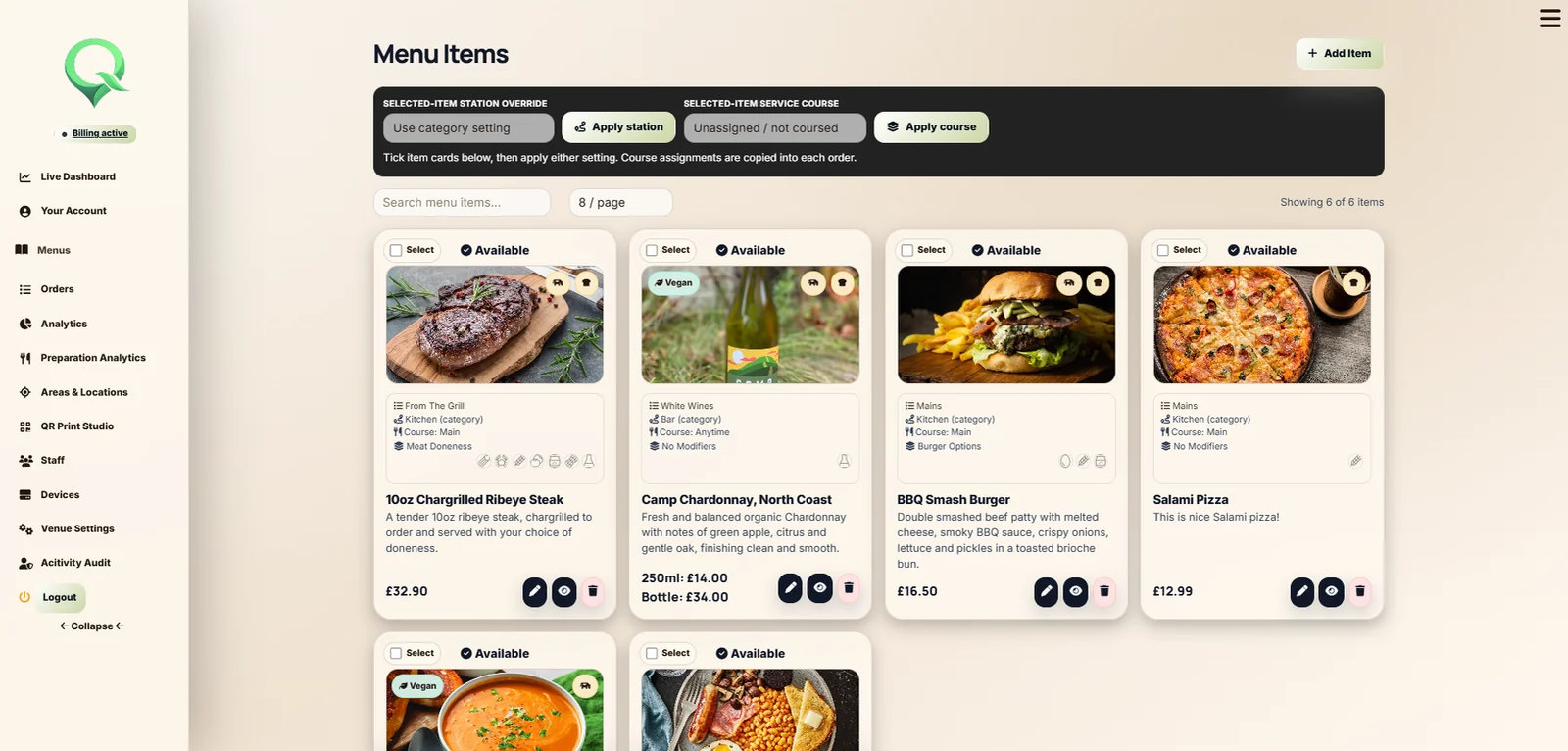
Digital menu management
Organise the guest experience around the venue's real menu structure.
Present descriptions, photography and prices in a mobile-first interface.
Require selections or offer optional extras with price adjustments.
Control where and when menu content is available to order.
Menu to order
QRelia turns the digital menu into an actionable ordering journey. The guest chooses, submits and follows the order while staff receive the same detail in the Receiver.
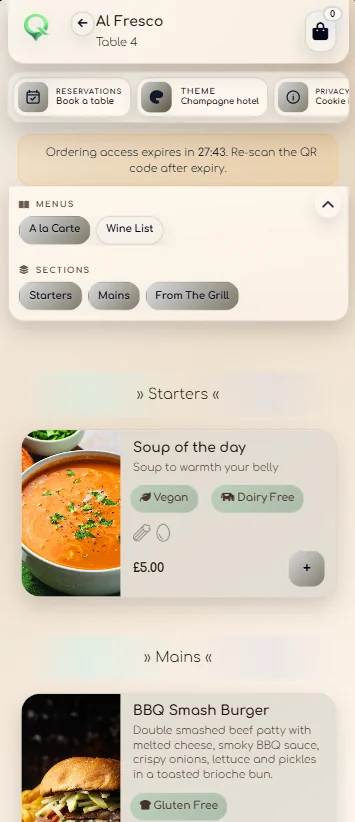
Different menus, one platform
Use QR access for rooms, restaurants, lounges and outdoor service areas.
Hotel guest ordering ↗Connect a room-aware menu to waiting times, guest details and order status.
Digital room service menu ↗Make table-specific ordering part of the venue's normal service flow.
Restaurant QR ordering ↗Manage menus, items, availability and QR material from one venue account.
Venue management ↗Digital menu questions
It presents the venue menu on a phone and lets the guest place an order from that menu. QRelia connects the order to the correct room or table and live staff workflow.
Yes. QRelia supports venue branding, menu photography and guest-facing theme options.
Yes. Menu items can use modifier groups for required choices, optional extras and price changes.
QRelia includes venue controls for where and when menu content is available.

Build a real menu