Current availability
Use menu availability and item controls instead of relying on a static document that can quickly become outdated.
Digital room service menu
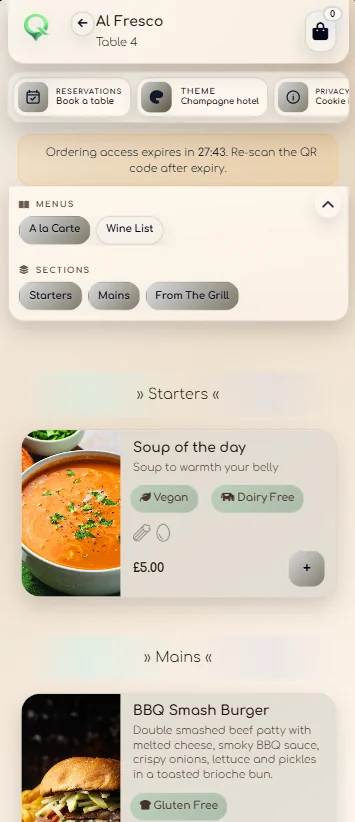
Replace static menu PDFs with a mobile ordering experience that can understand the room, enforce item choices, reflect availability and continue into live staff fulfilment after the guest taps order.
Beyond a menu PDF
Use menu availability and item controls instead of relying on a static document that can quickly become outdated.
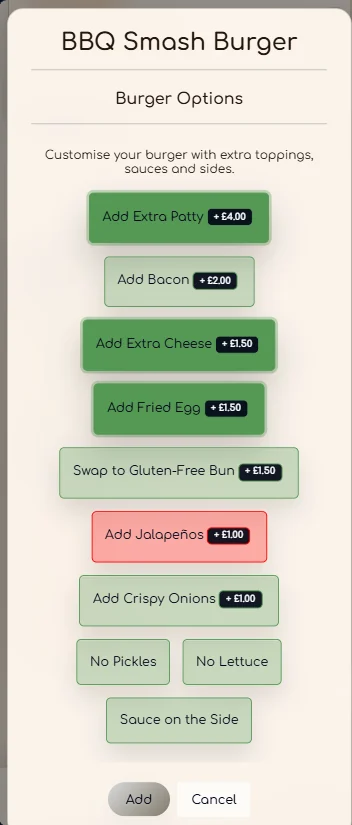
Required options and extras stay with the item, with minimum and maximum selection rules.
Shared orders can assign items to guests and capture how the group wants courses served.
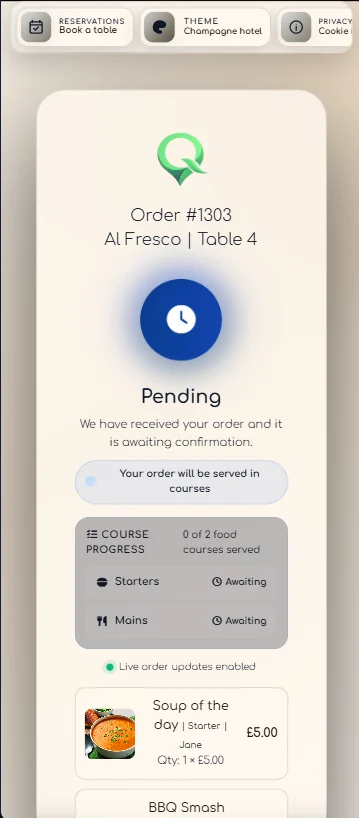
The guest can continue to a status view rather than wondering whether the room service order was received.
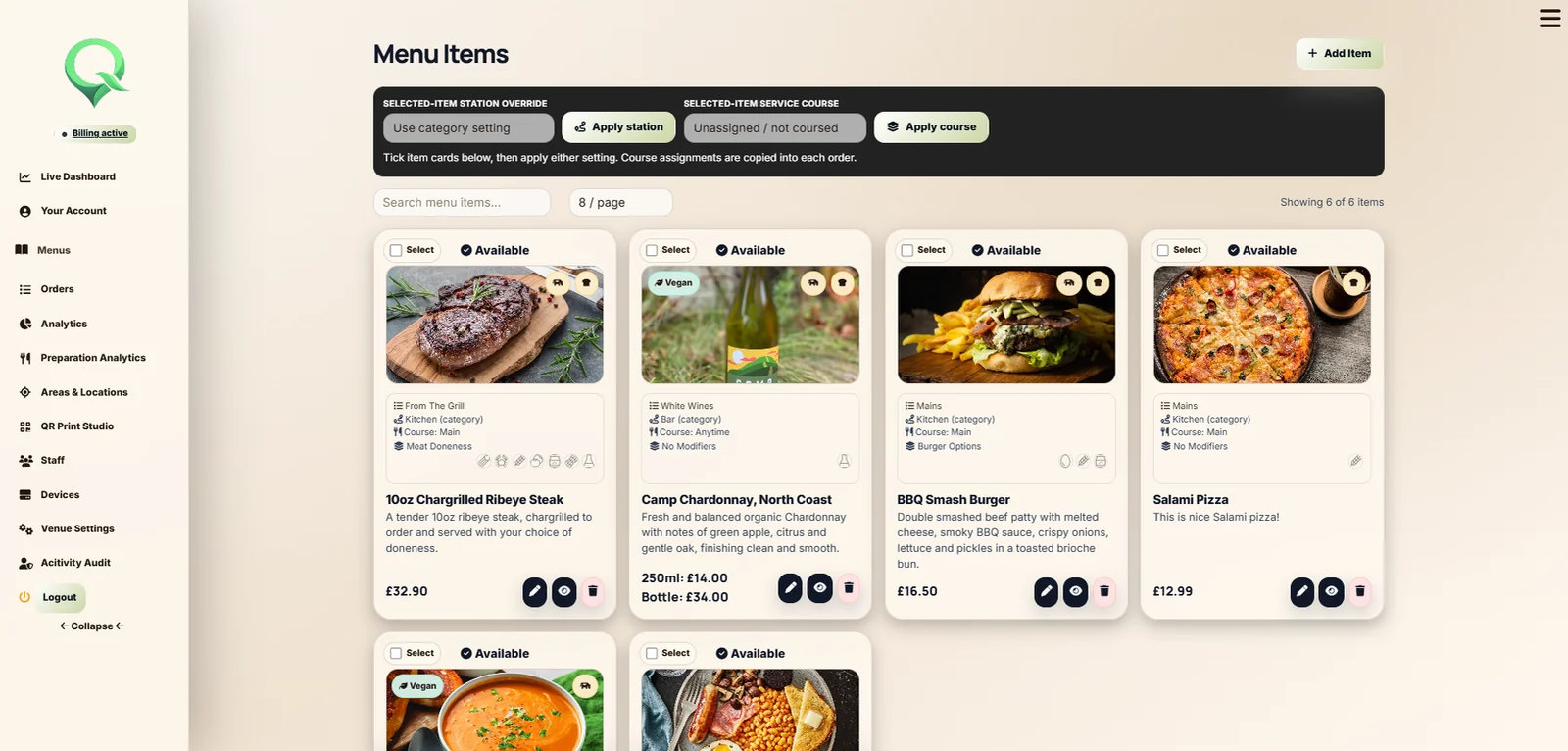
Menu control for the venue
Managers can organise menus and categories, configure items and modifiers, control availability and connect the guest experience to the venue's service locations.
After checkout
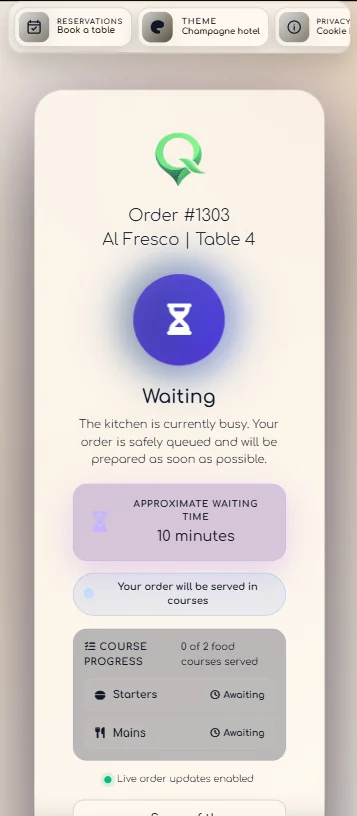
Once the order is submitted, QRelia can show confirmation, preparation, a waiting estimate, course progress and completion. The digital menu is therefore the front door to service, not the end of it.
See the complete room service workflow ↗Digital menu questions
Yes. Modifier groups can require selections, allow extras and apply configured price changes before checkout.
Yes. Menu availability rules let the venue control when relevant menus are presented to guests.
Yes. The guest experience can use venue branding, menu photography and configurable themes.
The order enters the live Receiver workflow and the guest can follow status changes through service.

Replace the static menu