Scan from the room
The room QR code opens the correct guest journey with location context already attached.
Room service app for hotels
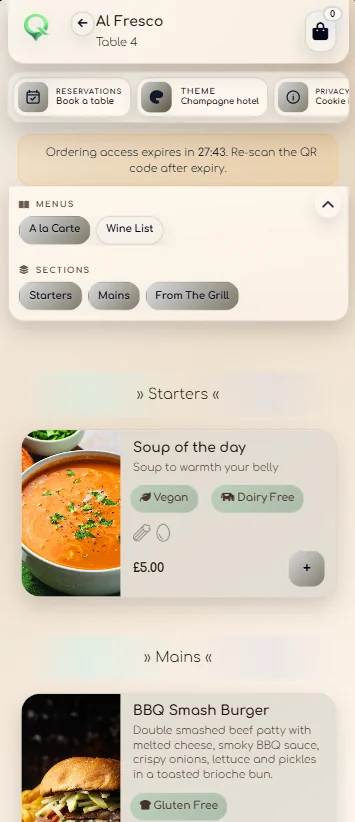
Guests scan the room QR code and QRelia opens the hotel's mobile room service menu in their browser. They can choose items, add notes, assign orders to guests, select course preferences and follow live status from the same phone.
Why browser-based room service
The room QR code opens the correct guest journey with location context already attached.
The mobile-first menu supports images, categories, modifiers and availability.
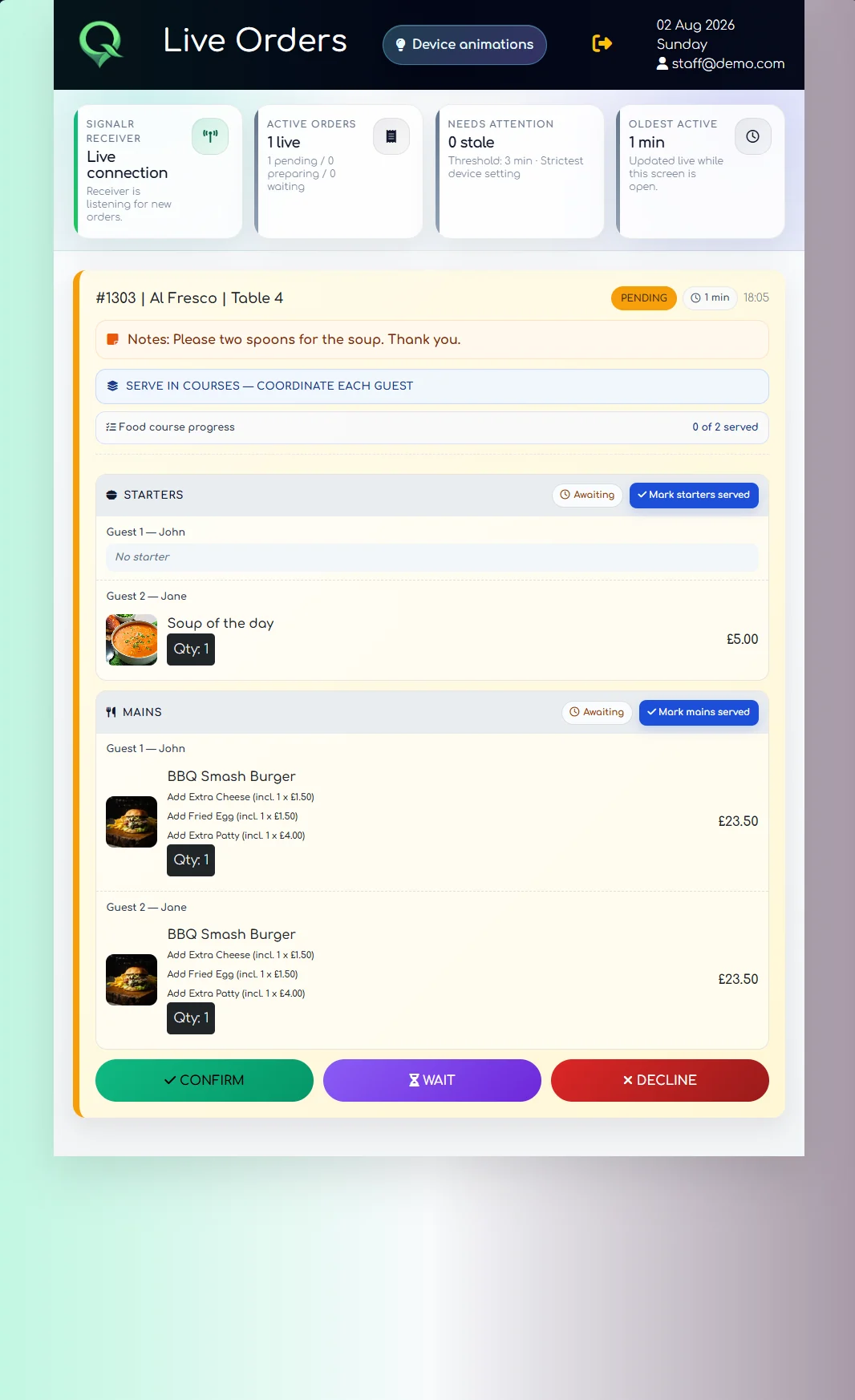
The guest can add notes, assign items and choose how courses should be served.
The same browser journey can show the progress of the submitted order.
Behind the guest experience
QRelia links the mobile room service experience to the Receiver and venue management tools, so the room number, guest choices and service progress remain visible after the guest taps order.
Related hotel ordering software
See the complete operational workflow from room QR to staff fulfilment and reporting.
Room service ordering software ↗Focus on menu management, guest choices and ordering windows.
Digital room service menu ↗Extend the same ordering journey beyond rooms into tables and other hotel areas.
Hotel guest ordering ↗See how real hotel use shaped the guest and operational product.
Read the hotel case study ↗Room service app questions
No. Guests open the room service experience in a standard mobile browser after scanning the hotel's QR code.
Yes. The QR can represent a configured room so the service location is carried into the order.
QRelia supports guest assignment so items can be associated with different people within the same order.
Yes. The guest journey can show live order status after submission.

Open it on your phone